Nikon d5600 White Balance
Nikon d5600 White Balance
This is referred to as "white balance" that according to the light source, is to be shot in color image is close to the eye. Normally, should be taken with the auto default. If you want to change the color of images taken, please change the white balance to match the light source and weather.
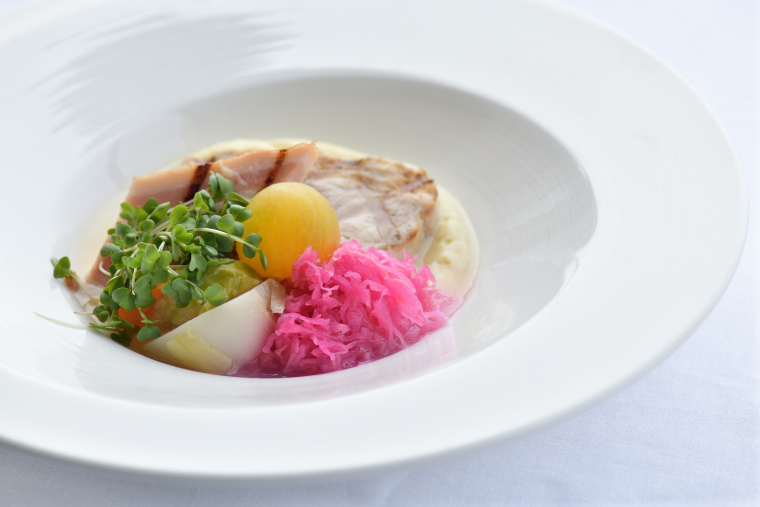
White balance: Auto
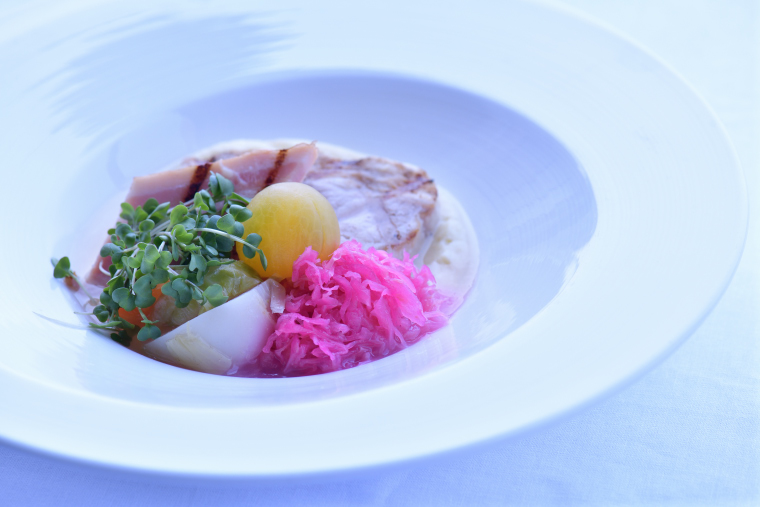
White balance: Fluorescent
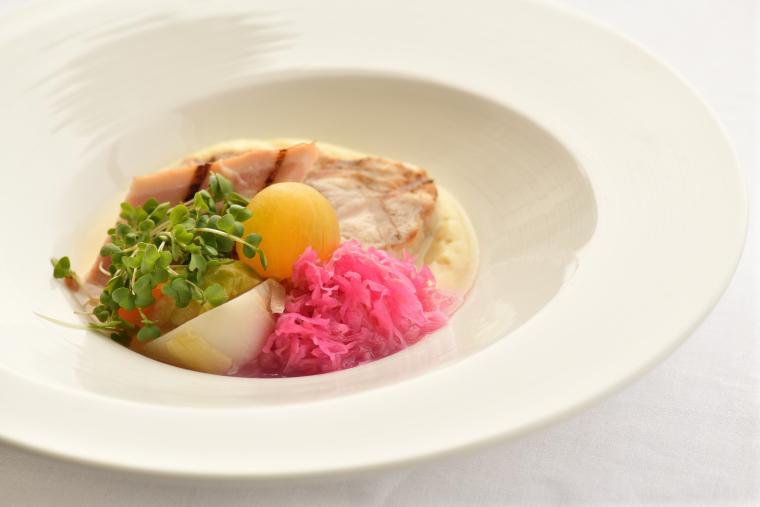
White balance: Shade
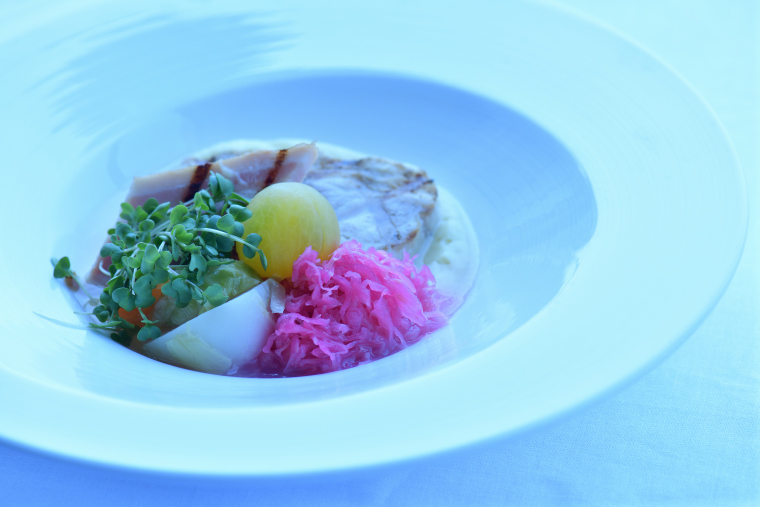
White balance: Incandescent
 Auto
Auto
Automatic white balance adjustment. Recommended in most situations. Incandescent
Use under incandescent lighting. Fluorescent
Use with the light sources listed on page 141. Direct sunlight
Use with subjects lit by direct sunlight. Flash
Flash
Use with the flash. Cloudy
Use in daylight under overcast skies. Shade
Shade
Use in daylight with subjects in the shade. Preset manual
Measure white balance or copy white balance from existing photo.
Procedure
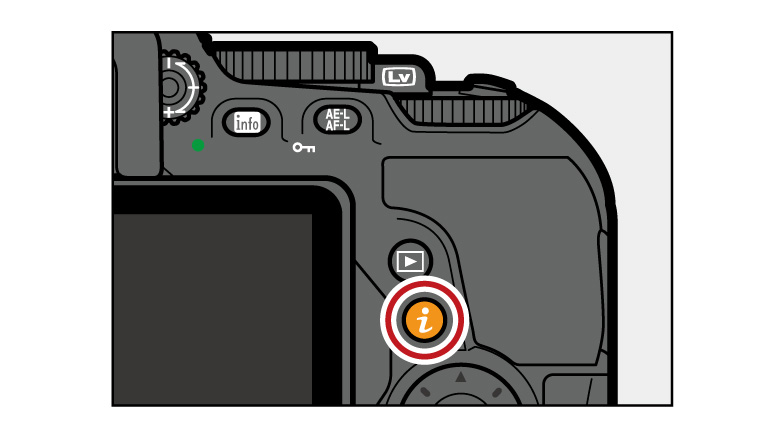
01. Display white balance options.
Press the button, then highlight the current white balance setting in the information display and press
  .
.
Press the
button, then highlight the current white balance setting in the information display and press .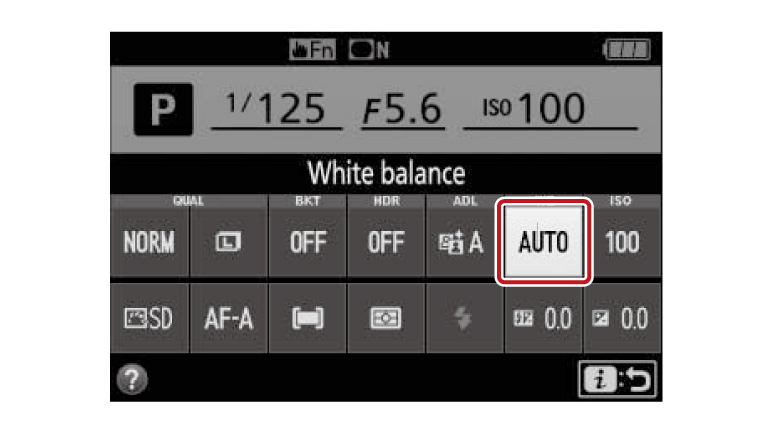
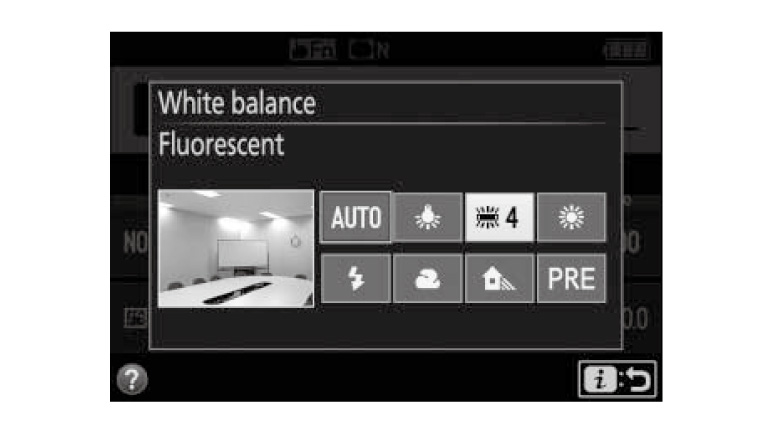
02. Choose a white balance option.
Highlight an option and press.
Highlight an option and press
.
The Shooting Menu
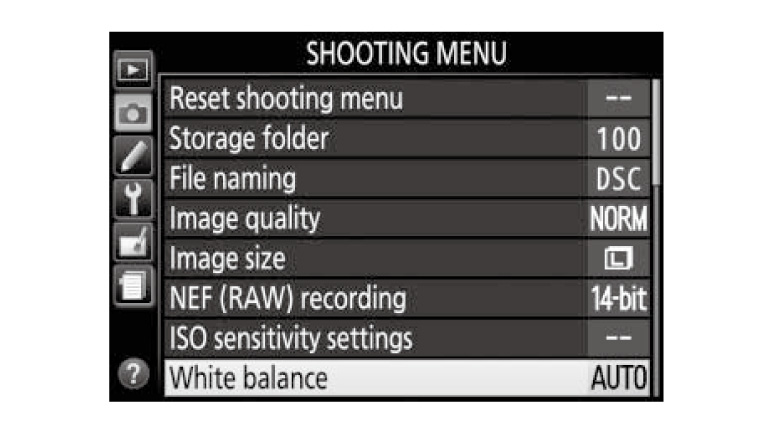
White balance can be selected using the White balance option in the shooting menu, which also can be used to fine-tune white balance or measure a value for preset white balance.
White balance can be selected using the White balance option in the shooting menu, which also can be used to fine-tune white balance or measure a value for preset white balance.
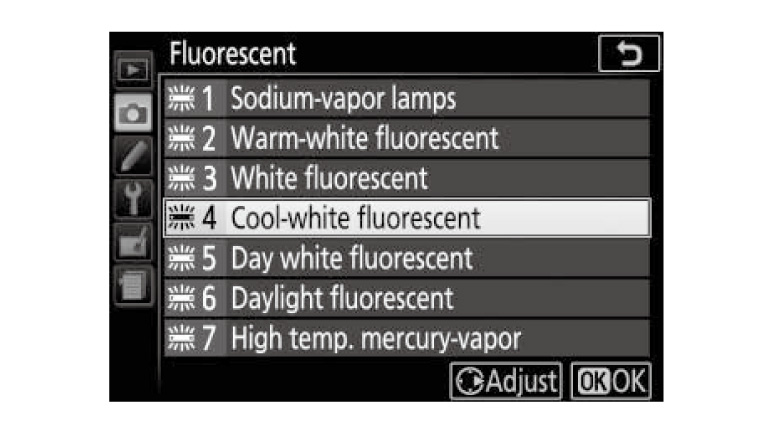
Fluorescent option
The Fluorescent option in the White balance menu can be used to select the light source from the bulb types shown at right.
The
Fluorescent option in the White balance menu can be used to select the light source from the bulb types shown at right.https://imaging.nikon.com/


Comments
Post a Comment